
PLAYit-All in One Video Player
PLAYIT TECHNOLOGY PTE. LTD.Video Players & Editors
4.518.74K Reviews
- Version
- 2.7.54.6
- Installs
- 500.00M
- Age Rating
- Teen
Screenshots
Our Review of PLAYit-All in One Video Player
 Analysis by Appyee
When I decide whether to keep a media player on my phone, the first question is practical: does it make everyday playback easier without asking me to change how I organize everything? PLAYit-All in One Video Player aims to handle both video and music, and its appeal is clear if your files come from several places and you would rather open them in one app than juggle separate players. I find that convenience useful, but I would still treat a media app as something to assess carefully: the files it can access and the choices it presents matter as much as its playback tools.
What to consider before making it your everyday player
I’d weigh PLAYit’s convenience against how much control I want over a player’s access and optional purchases before making it part of my daily routine. Starting with one familiar local file is a low-stakes way to see whether its workflow suits me; next, I’d look at the choices the app presents when I use other features.
A useful all-in-one approach, with a few trade-offs
PLAYit is a free video and music player from PLAYIT TECHNOLOGY PTE. LTD. It has a 4.5 average from around 6.9 million ratings and more than 500 million installs, which tells me it has found a large audience, not that it will suit every phone or viewing habit. The current version is 2.7.48.7, and it runs on Android 5.1 or later. The app is rated Teen, and optional in-app purchases range from $0.99 to $25.99 per item, so I would check the purchase screen before confirming anything if I only want basic playback.
The trust question is not something I would answer from popularity alone. A high install count cannot tell me what permissions an app requests, how it handles personal information, or what account controls are available. Those details can depend on the current app and device, so I would review the permission prompts and privacy information shown to me rather than assume that a media player needs broad access. I would also pay attention to whether a prompt is necessary for a task I actually want to do.
Keep control of the files and choices you make
For local playback, my practical habit would be to start with a video I recognize and see how the app presents the file and its controls before building a full routine around it. If Android asks for access to media, I would consider whether that access makes sense for choosing local videos or music. I would avoid granting an unrelated permission just because a prompt appears, and revisit app permissions in the phone’s settings if my needs change. That is a sensible check for any player, not proof of a problem with this one.
Online video is a separate use case from opening a saved file. Before pasting a link or using a feature that connects to an outside service, I would check what destination I am opening and avoid entering private account details into an unfamiliar screen. For sensitive viewing, I would also consider whether I want the activity associated with a signed-in service. The useful principle is simple: choose the source deliberately, and use the app for the job you intended rather than treating every offered route as interchangeable.
I would not make PLAYit my first choice if my main priority were a minimal player with the fewest extra functions, or if I wanted a carefully managed streaming library tied to a particular subscription service. A dedicated streaming app is usually the more direct route for its own catalog, while a basic local player may feel less busy for someone who only opens an occasional clip. PLAYit makes more sense when the value of a combined video-and-music tool outweighs the appeal of keeping those jobs separate.
Where it fits into a real routine
Imagine I have a few saved clips for a train ride, a longer video to watch later at home, and music files I want to play without switching apps. A single player can make that routine less fragmented. I would first make sure the media is available locally if I expect to watch offline; a player cannot make a file available when it has not been saved to the device. At home, a floating window can be handy when I want to keep a video visible while checking a message, though I would use it for casual viewing rather than anything that needs my full attention.
There are also small workflow choices that make a difference. Gesture controls can be convenient when I am holding the phone one-handed, but swiping over a video can also change playback when I meant to adjust the screen or sound. I would test each gesture on a short clip before relying on it during a film. Likewise, a video-to-audio conversion is useful when I want to listen to audio from a clip, but I would keep the original file until I have checked the extracted result; conversion adds a step and is not necessarily better than playing the video normally.
Choosing between PLAYit and familiar alternatives
Compared with a phone’s built-in player, PLAYit’s attraction is the promise of a broader media toolkit in one place. That can save time if the default app does not handle a file comfortably or if I often move between music and video. The trade-off is that an all-in-one interface can offer more controls and prompts than someone needs. If I only watch a few common video files, the built-in option may be simpler; if I need a particular streaming service’s account features, that service’s own app is the more natural choice.
I would also separate “plays a format” from “plays every file perfectly.” A supported format is helpful, but a damaged file, an unusual encoding, or a file that stresses the device can still behave differently from a standard clip. If playback stutters, I would try another file and close other demanding apps before deciding the player itself is at fault. For a critical presentation or a long trip, I would test the exact file in advance rather than discover a compatibility issue when I no longer have an easy alternative.
How I would decide whether to keep it
PLAYit was released on November 8, 2019, and its continued presence in a crowded media-player category makes it an easy app to consider, but my choice would come down to how much I value its combined approach. I would recommend giving it a try if I regularly open different kinds of saved media, appreciate having playback controls in one place, and are comfortable checking permissions and purchase prompts as they appear. I would skip it if I want only a bare-bones local player, prefer to keep music and video in separate apps, or rely mainly on a streaming service’s own interface.
One question I would ask before installing is whether it suits my device: Android 5.1 or later is the stated minimum, so I would check my system version first. Another is whether it costs anything to start using: it is free to download, while optional in-app purchases are available, so I would read each purchase prompt rather than assume every extra is included. For age suitability, the Teen rating is a useful starting point for families, though I would still make my own decision about what media a younger user can access on the device.
My cautious verdict is that PLAYit is worth considering as a flexible everyday player, not as an automatic replacement for every media app. Its broad, all-in-one idea can be convenient, especially when local files are part of my routine, but that convenience does not remove the need to check the source of online content, review visible choices, and test important files. I would install it for the specific playback jobs I need, keep control of permissions and purchases, and judge it by how it behaves on my own phone.
Features that Stand Out
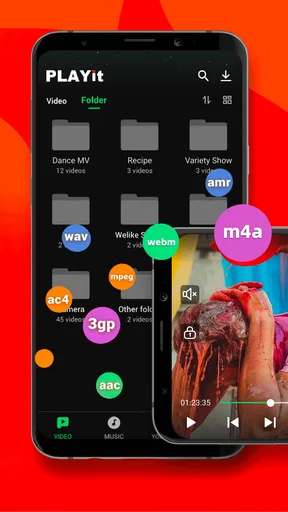
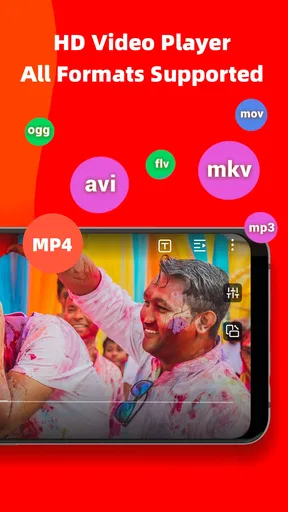
First things first, what caught my attention was the sheer range of formats that PLAYit-All in One Video Player supports. From MP4, AVI, and MKV to FLV and WMV, you name it, and this app can play it. No more endless searching for converters or dealing with compatibility issues, which is a huge relief.
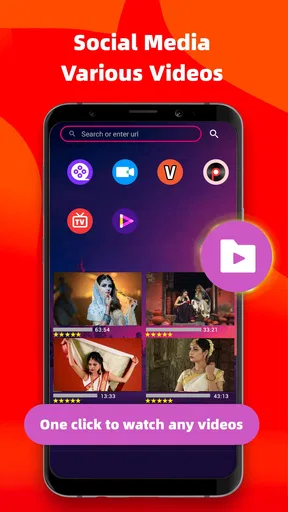
Another fantastic feature is the app’s ability to stream online videos directly. It supports a multitude of platforms, so whether you're into YouTube, Vimeo, or any other streaming service, PLAYit has got your back. Simply paste the link and voilà, you’re ready to watch!
Audio and Video Quality
Now, let's talk about the real MVP—the playback quality. The video playback is smooth with zero lag, even when fast-forwarding or rewinding. And the audio? Crisp and clear with a customizable equalizer that lets you tweak the sound to your liking. Whether you’re watching a movie or listening to your favorite tracks, the experience is top-notch.
Not to mention, the app supports HD and 4K videos—perfect for those who can’t settle for anything less than stellar resolution. The clarity and depth of the visuals are simply stunning, which makes binge-watching sessions all the more enjoyable.
User Interface and Experience
Usability can make or break an app, and this is where PLAYit really shines. The interface is sleek and intuitive, making navigation a breeze. With its minimalist design, everything you need is just a tap away. Even if you're not tech-savvy, you'll find navigating through the app as easy as pie.
One feature that deserves special mention is the gesture control. Adjusting volume, brightness, and even skipping through the video can be done with simple swipes—a feature I didn’t know I needed until now.
Extra Perks
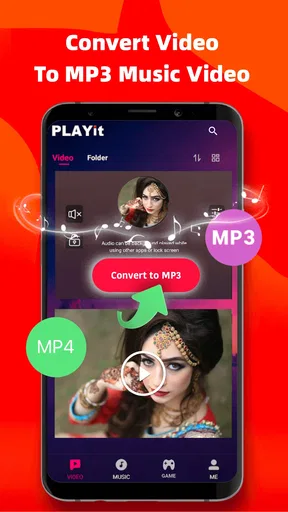
PLAYit goes the extra mile with some additional features that are worth mentioning. It includes a built-in video-to-audio converter. Yes, you read that right! You can extract audio from any video file, which is perfect for those times when you just want the soundtrack on your playlist.
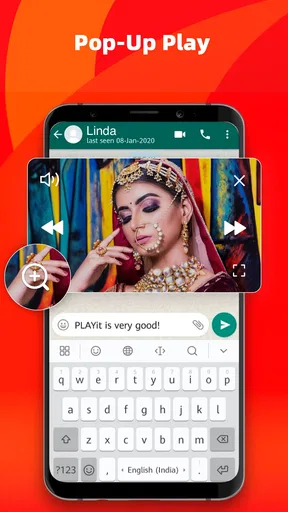
Additionally, the app offers a floating play function. This means you can keep your video playing in a small window while you multitask. Check your emails or browse social media without missing a beat of your favorite show.
Final Thoughts
In a nutshell, PLAYit-All in One Video Player is more than just a video player; it’s a comprehensive media solution that caters to almost every need you might have. From its extensive format support to high-quality playback and user-friendly interface, it’s got it all. If you’re looking for a reliable, efficient, and feature-packed media player, look no further. This app is indeed a game-changer and a must-have for anyone who loves their media.
So, what are you waiting for? Grab your phone, download PLAYit, and elevate your media experience to the next level. Trust me, once you try it, there's no going back!
Privacy and Permissions
See what permissions an app requests and how it handles your data.
- Device & app history
- retrieve running apps
- Location
- approximate location (network-based), precise location (GPS and network-based)
- Photos/Media/Files
- read the contents of your USB storage, modify or delete the contents of your USB storage
- Storage
- read the contents of your USB storage, modify or delete the contents of your USB storage
- Camera
- take pictures and videos
- Wi-Fi connection information
- view Wi-Fi connections
- Other
- view network connections, pair with Bluetooth devices, access Bluetooth settings, change network connectivity, allow Wi-Fi Multicast reception, connect and disconnect from Wi-Fi, expand/collapse status bar, full network access, change your audio settings, run at startup, draw over other apps, control vibration, prevent device from sleeping, modify system settings
Verdict
Strengths of PLAYit-All in One Video Player
- Supports multiple video formats seamlessly.
- Built-in music player for audio files.
- Floating play feature for multitasking.
- Subtitle support enhances viewing experience.
- User-friendly interface with easy navigation.
Limitations of PLAYit-All in One Video Player
- Ads can be intrusive at times.
- No advanced editing features available.
- Some features require in-app purchases.
- Limited customization options for themes.
- Occasional lag on lower-end devices.
Similar Picks in This Category
View All
Google TV
Google LLC3.9

iTunes
Apple4.7

YouTube
Google LLC3.8

MX Player
Amazon Mobile LLC4.2

CapCut - Video Editor
Bytedance Pte. Ltd.3.5

VivaVideo - Video Cut & Editor
QuVideo Inc. Video Editor & Video Maker App4.3
You May Also Like
View All
Frequently Asked Questions
What formats does PLAYit-All in One Video Player support?
PLAYit-All in One Video Player supports a wide range of video and audio formats, making it a versatile choice for users. It can handle popular formats like MP4, AVI, WMV, MKV, and FLV, as well as audio formats such as MP3 and WAV. This ensures you can play most media files without needing additional converters.
Is PLAYit-All in One Video Player free to use?
Yes, PLAYit-All in One Video Player is free to download and use. While the basic version offers a robust set of features, there might be in-app purchases or ads that support the developers. These can be removed by purchasing the premium version, which offers an ad-free experience and additional features.
Does PLAYit-All in One Video Player have a built-in downloader?
Yes, PLAYit-All in One Video Player includes a built-in downloader that allows users to download videos from various websites directly to their device. This feature is particularly useful for offline viewing and is designed to work seamlessly with the app's player, ensuring easy access to downloaded content.
Can I use PLAYit-All in One Video Player to stream online videos?
Yes, PLAYit-All in One Video Player supports streaming of online videos. It allows users to connect to various streaming sources and enjoy content directly through the app. This feature enhances the app’s versatility, making it a great tool for both offline and online media consumption.
Is PLAYit-All in One Video Player available for both Android and iOS?
PLAYit-All in One Video Player is primarily available for Android devices, offering comprehensive support for a variety of Android versions. As of now, there may not be an official iOS version available, so iOS users might need to look for alternative apps with similar functionalities.
